Studio Management
Yoga Studio Management Software: A 2026 Buyer’s Guide
Yoga studio management software should run your timetable, class packs, booking rules and renewals. Here is what to compare, with a checklist to test it.
Want more of this in your Google results?


Short on time? Summarise it with
Yoga studio management software is the system that runs your timetable, sells memberships and class packs, enforces booking rules and reminds students before their plan runs out. The right one replaces the spreadsheet, the WhatsApp group and the notebook at the front desk with one record per student. This guide covers what a yoga studio actually needs, what it should cost, and how to test a tool in a week before you commit.
Running a yoga studio on spreadsheets? StudioOS by Svich handles your timetable, class packs and renewals in one place. See how it works for yoga studios.
#What does yoga studio management software actually do?
At its core, it answers four questions every studio owner asks daily: who is coming to class, who has paid, whose plan is ending, and which slots are filling up. A good system connects those answers instead of keeping them in separate places.
- Timetable: a weekly grid of classes, teachers and rooms.
- Selling: unlimited memberships, class packs, drop-ins and intro offers.
- Booking rules: cancellation windows, no-show handling and caps on bookings.
- Billing: invoices, instalments, freezes and a payment history per student.
- Communication: reminders before a plan ends, after a missed payment and when someone lapses.
- Reporting: revenue, active students and memberships about to expire.
Generic gym software usually handles memberships well but treats classes as an afterthought. Yoga is the opposite: most revenue comes through the class schedule, so the timetable and pack logic matter most.
#Which features matter most for a yoga studio?
#A timetable that catches clashes
Once you run more than one room or share teachers across classes, double-booking a teacher or a room is easy. Look for clash detection on the weekly grid so problems show up when you build the schedule, not when two classes turn up at the same door.
#Flexible ways to sell classes
Yoga students buy in different ways. Regulars want unlimited monthly access. Busy professionals want a 10-class pack. Visitors want to drop in once. Your software should let you sell all three side by side and count attendance correctly against each.
#Booking rules that protect small classes
A 12-person hot yoga class with three no-shows loses a quarter of its capacity. The rules you set, and whether the software enforces them, decide whether that keeps happening. Our guide to class booking rules goes deeper on this.
#Renewal reminders that send themselves
Most studios do not lose students in a dramatic way. A pack runs out, nobody follows up, and the student drifts to another studio. Automated reminders before expiry and after a lapse catch that drift early.
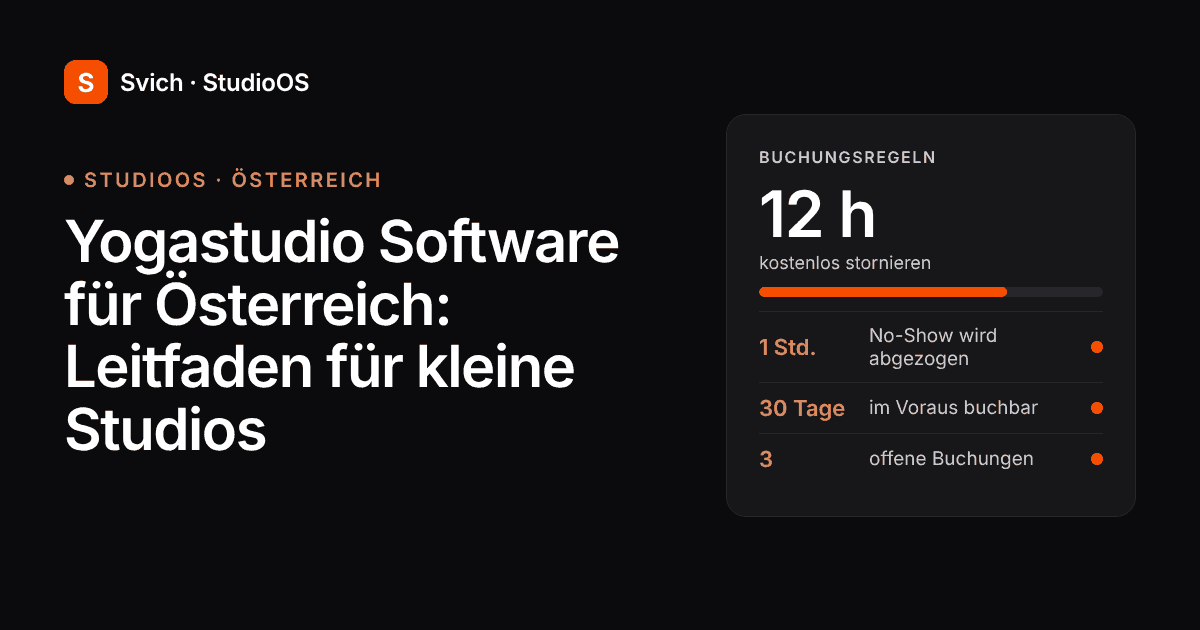
With a 12-hour cancellation window, those three spots go back on the timetable in time for someone else to book them.
#How should a yoga studio price class packs and memberships?
Pricing is a business decision, but your software has to support whatever you choose. Most studios settle on a mix like this:
| Option | Best for | What the software must handle |
|---|---|---|
| Unlimited monthly | Regulars who come 3+ times a week | Recurring billing, freezes, renewal reminders |
| Class pack (5, 10, 20) | Students with irregular schedules | Counting classes used, expiry dates, top-ups |
| Drop-in / pay per visit | Visitors and first-timers | Quick sale at the desk, converting to a pack later |
| Intro offer or trial pass | New enquiries | Time-limited access and a follow-up when it ends |
A useful rule of thumb: price the unlimited plan so that someone attending three times a week pays noticeably less per class than on a 10-pack. That gives regulars a clear reason to commit, which steadies your monthly revenue.
A regular saves about a third per class by committing. That gap is what moves pack buyers onto a monthly plan.
#What booking and cancellation rules should a yoga studio set?
Copy this policy and adjust the numbers to suit your studio:
- Free cancellation up to 12 hours before class. Enough notice for someone on the waitlist or a walk-in to take the spot.
- Late cancels and no-shows count as a class used. For pack holders, the class is deducted. Explain this once at sign-up so nobody is surprised.
- Book up to 30 days ahead. Long enough for planners, short enough that the timetable stays flexible.
- Limit open bookings per student. This stops one person reserving every popular evening slot for the month.
- Review no-show patterns monthly. A student who no-shows repeatedly needs a conversation, not just a deduction.
StudioOS ships with these rules built in: a 12-hour free-cancellation window, no-shows counted as used, a 30-day book-ahead limit and a cap on open bookings. Read the StudioOS docs on classes, packs and bookings or set up your timetable free.
#How does StudioOS handle yoga studios?
StudioOS is Svich’s product for yoga, dance, pilates and barre studios. Here is what it covers, kept to what the product does today:
- Weekly timetable with clash detection.
- Three ways to sell classes: everything included, a set number of classes, or pay per visit.
- Class packs with monthly top-ups.
- Billing with instalments, freeze days, extensions, automatic invoices and a full payment ledger. Cash, card and UPI can be recorded at the desk.
- Four automations with their own channel and send time: before a membership ends, after a missed payment, on a birthday, and after a lapse. WhatsApp messages go from your studio’s own number.
- Enquiry forms you can share on Instagram and WhatsApp, with leads tracked as follow-up tasks.
- Member portal where students see their plan, expiry, payment schedule and receipts on their phone.
- A public studio page with photos, plans, timetable and a contact form.
- Attendance tracking as an add-on.
If you also run strength or functional classes, one account can add GymOS modules, so a studio with a small gym floor does not need two systems. The pilates studio software guide covers the same setup for reformer studios.
#How much does yoga studio software cost?
Studio software is usually priced per location per month, sometimes with extra fees per staff seat, per booking or per payment. Before comparing headline prices, ask each vendor:
- Is the price per studio or per staff member?
- Is there a cap on active students?
- Are reminders, the member portal and enquiry forms included or extra?
- Is there a setup or migration fee?
Svich charges per studio, not per staff member. Starter is $49/month (or $490/year) for up to 250 active members. Growth is $149/month (or $1,490/year) with unlimited members, advanced automation and custom dashboards. The member portal, public page and enquiry forms are on every plan, and you can start free with no card. Prices are in USD.
#When might Svich not be the right fit for your yoga studio?
Being clear about this saves both of us time:
- You need card payments collected automatically online. Svich records cash, card and UPI at the desk and tracks dues to the date. Automatic online collection isn’t one of its listed features, so ask about it in a demo before you commit.
- You want a branded app in the App Store or Google Play. Students use the member portal in their phone’s browser, which is listed. If a native app matters to you, check first.
- You run a large on-demand video library or livestream classes. StudioOS is built around in-person timetables and packs.
- You need your software subscription billed in a currency other than USD, or rely on a specific accounting integration. Custom integrations sit on the Enterprise plan, so check with us first.
#How do you test yoga studio software before you commit?
Use this one-week checklist with any tool you shortlist:
- Rebuild one real week of your timetable, including a teacher who covers two rooms.
- Create your actual price list: unlimited, a 10-pack, a drop-in and an intro offer.
- Import or add 20 real students, including a few with partly used packs.
- Book, cancel late and mark a no-show. Check the pack balance changes correctly.
- Freeze one membership and extend another. Check the end dates.
- Turn on a renewal reminder and preview the message a student would receive.
- Ask a front-desk staff member to sell a drop-in without help. Time it.
If any step needs a workaround on day one, it will need one every day after.
#Frequently asked questions
#What is the best yoga studio management software for a small studio?
For a small studio, the best option is the one that handles your exact mix of unlimited plans, class packs and drop-ins without workarounds, enforces your cancellation rules and sends renewal reminders automatically. Test two or three tools with a real week of your timetable before deciding.
#Can yoga studio software handle class packs and unlimited memberships together?
Good studio software should. StudioOS lets you sell everything-included plans, a set number of classes or pay per visit side by side, with class packs that support monthly top-ups.
#What cancellation policy works for yoga classes?
A common policy is free cancellation up to 12 hours before class, with late cancels and no-shows counted as a class used. Pair it with a limit on open bookings so one student cannot reserve every popular slot.
#How much does yoga studio management software cost?
Most tools charge per location per month. Svich starts at $49/month for up to 250 active members and $149/month for unlimited members, priced per studio rather than per staff member, with a free start and no card required.
#Is there free yoga studio software?
Some tools offer free tiers with limits on students, features or bookings. Svich is free to start with no card, so you can set up your timetable and packs before choosing a paid plan.
#Ready to run your studio from one place?
Set up your timetable, class packs and booking rules in StudioOS and see how it fits your week.
Start free — no card | Book a 30-minute demo
Running a dance or mixed studio too? See StudioOS for dance studios or read our fitness studio software buyer’s guide.