GymOS guide
Custom modules and fields
Add your own questions to the built-in forms, or create entirely new kinds of records — PT sessions, diet plans, equipment logs — without any code.
No two gyms track exactly the same things. GymOS gives you two tools for the extras, one for each kind of need.
Custom fields
Use a custom field when you want one more question on a form that already exists — a member’s emergency contact, a plan’s internal code.
Go to Settings → Customization → Custom Fields.
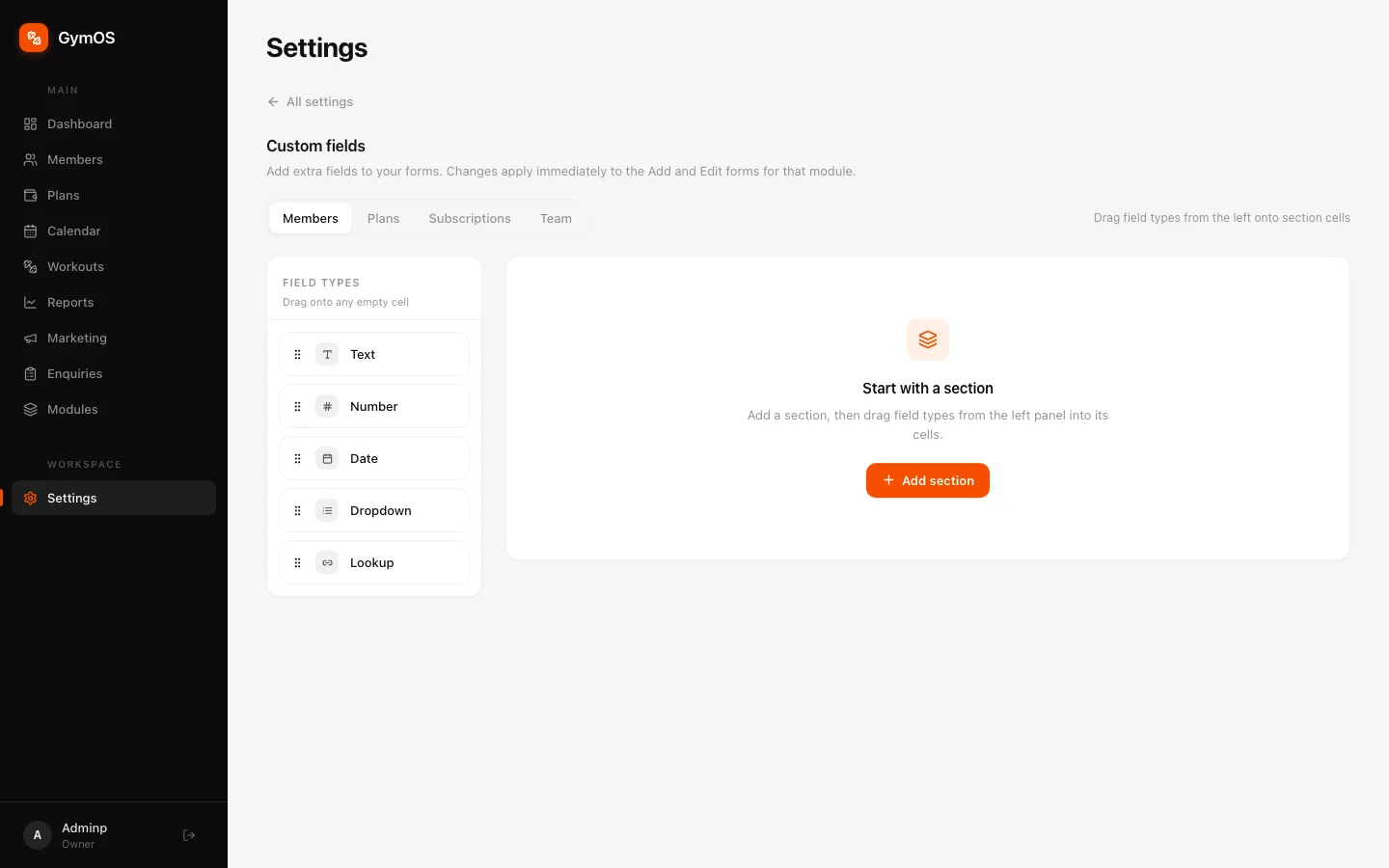
- Choose the form to change: Members, Plans, Subscriptions or Team.
- Click + Add section to give your fields a heading.
- Drag a field type from the left onto a cell in the section:
- Text, Number or Date
- Dropdown — a fixed list of choices
- Lookup — a link to another record, such as an entry in one of your custom modules
Changes apply immediately. A field added to Members appears straight away in the Add member and Edit forms.
Custom modules
Use a custom module when you need to track a whole new kind of record that doesn’t fit Members, Plans or Team — personal training sessions, diet plans, equipment servicing, supplement sales.
Open Modules from the sidebar.
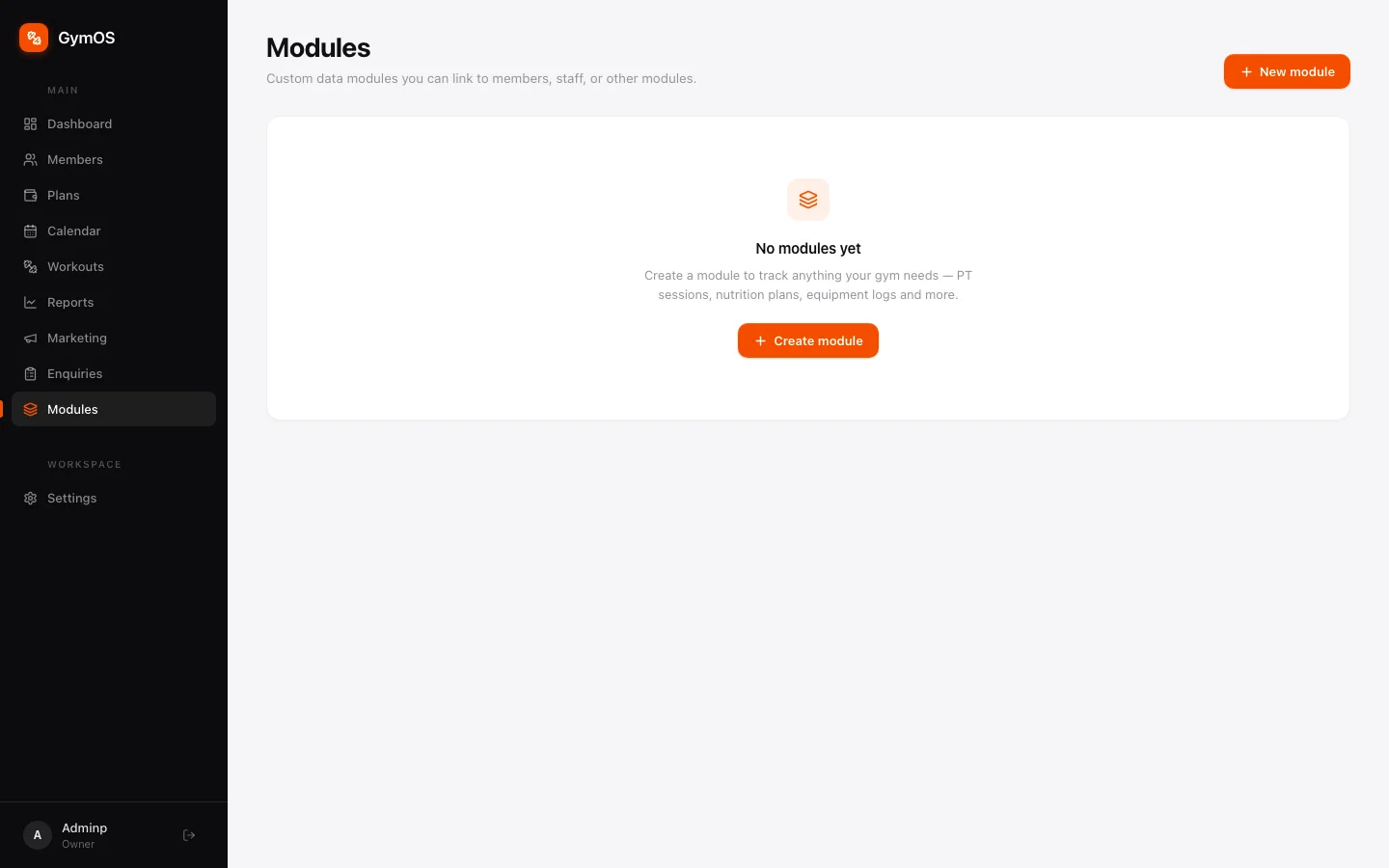
- Click + Create module.
- Name it, then add the fields each record needs.
- Link it to members, staff or other modules if its records belong to someone.
Every module you create gets its own item in the sidebar, where your team adds and browses records. Records linked to a member also show on the Modules tab of that member’s profile.
Stuck on a step, or found something that doesn't match your screen? Email hello@svich.in.