GymOS guide
Settings
Find every setting in one hub — invoice templates, referral commissions, data imports, your Svich billing and door access — and what each one does.
Settings, at the bottom of the sidebar, is the hub for everything that isn’t day-to-day work.
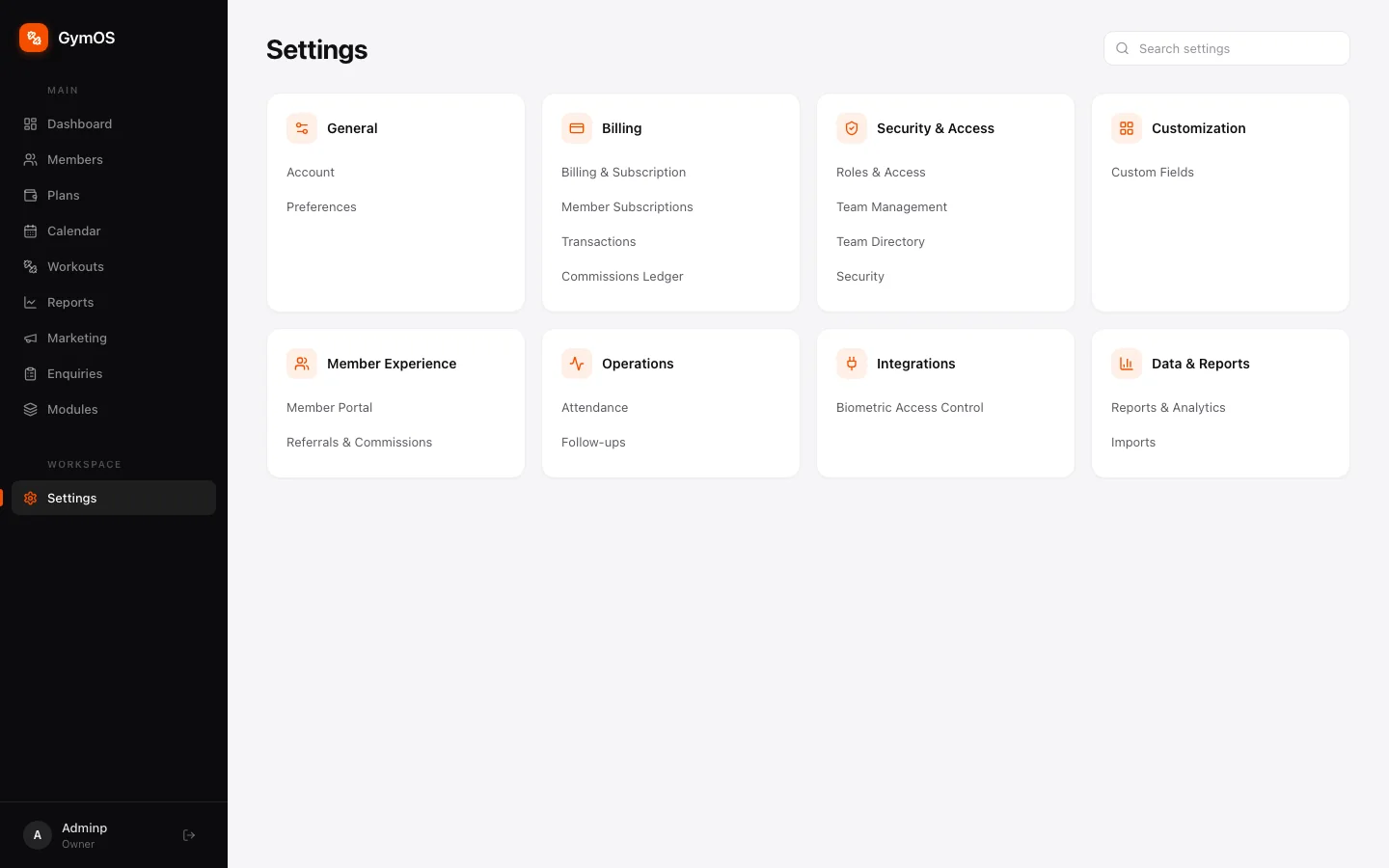
Settings are grouped into cards:
| Card | Contains |
|---|---|
| General | Account, Preferences |
| Billing | Billing & Subscription, Invoice Templates, Member Subscriptions, Transactions, Commissions Ledger |
| Security & Access | Roles & Access, Team Management, Team Directory, Security |
| Customization | Custom Fields |
| Member Experience | Member Portal, Referrals & Commissions |
| Operations | Attendance, Follow-ups |
| Integrations | Biometric Access Control |
| Data & Reports | Reports & Analytics, Imports |
Know roughly what you want but not where it lives? Use Search settings at the top right, or press ⌘ K from anywhere.
Covered in their own guides:
- Roles & Access and Team Management — Team and roles
- Custom Fields — Custom modules and fields
- Member Portal — Member portal
- Invoice Templates, Member Subscriptions, Transactions and Commissions Ledger — Plans and payments
- Attendance and Biometric Access Control — Attendance and door access
- Follow-ups — Marketing and follow-ups
Referrals and commissions
Reward staff for bringing members in. Go to Settings → Member Experience → Referrals & Commissions.
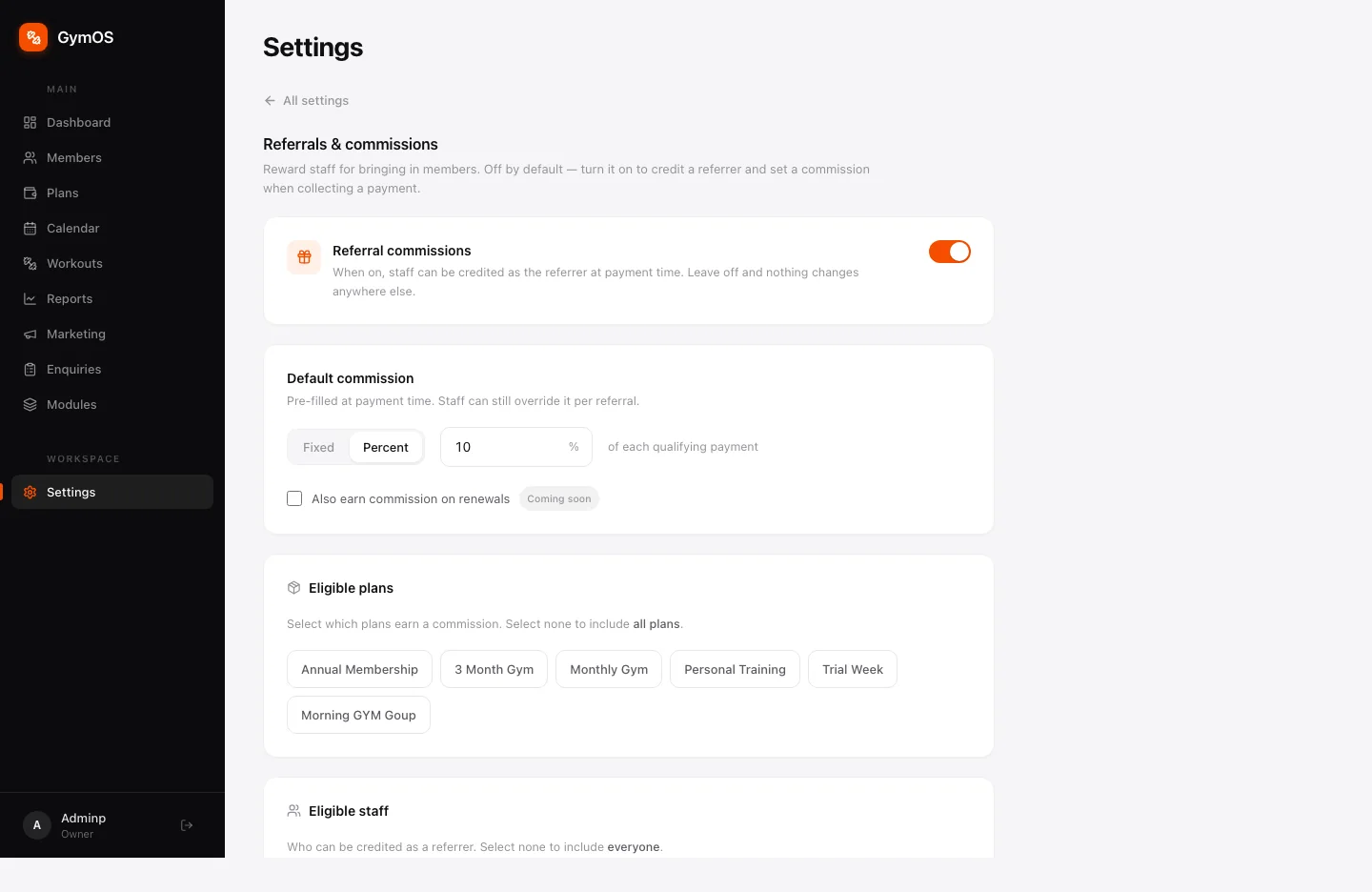
- Referral commissions — off by default. When on, staff can be credited as the referrer when a payment is collected. Leave it off and nothing changes anywhere else.
- Default commission — Fixed or Percent (for example, 10% of each qualifying payment). It’s pre-filled at payment time, and staff can still change it for a particular referral.
- Eligible plans — which plans earn commission. Select none to include every plan.
- Eligible staff — who can be credited. Select none to include everyone.
Earned commission appears in the Commissions Ledger.
Imports
Moving from a spreadsheet or another system? Settings → Data & Reports → Imports brings your members across.
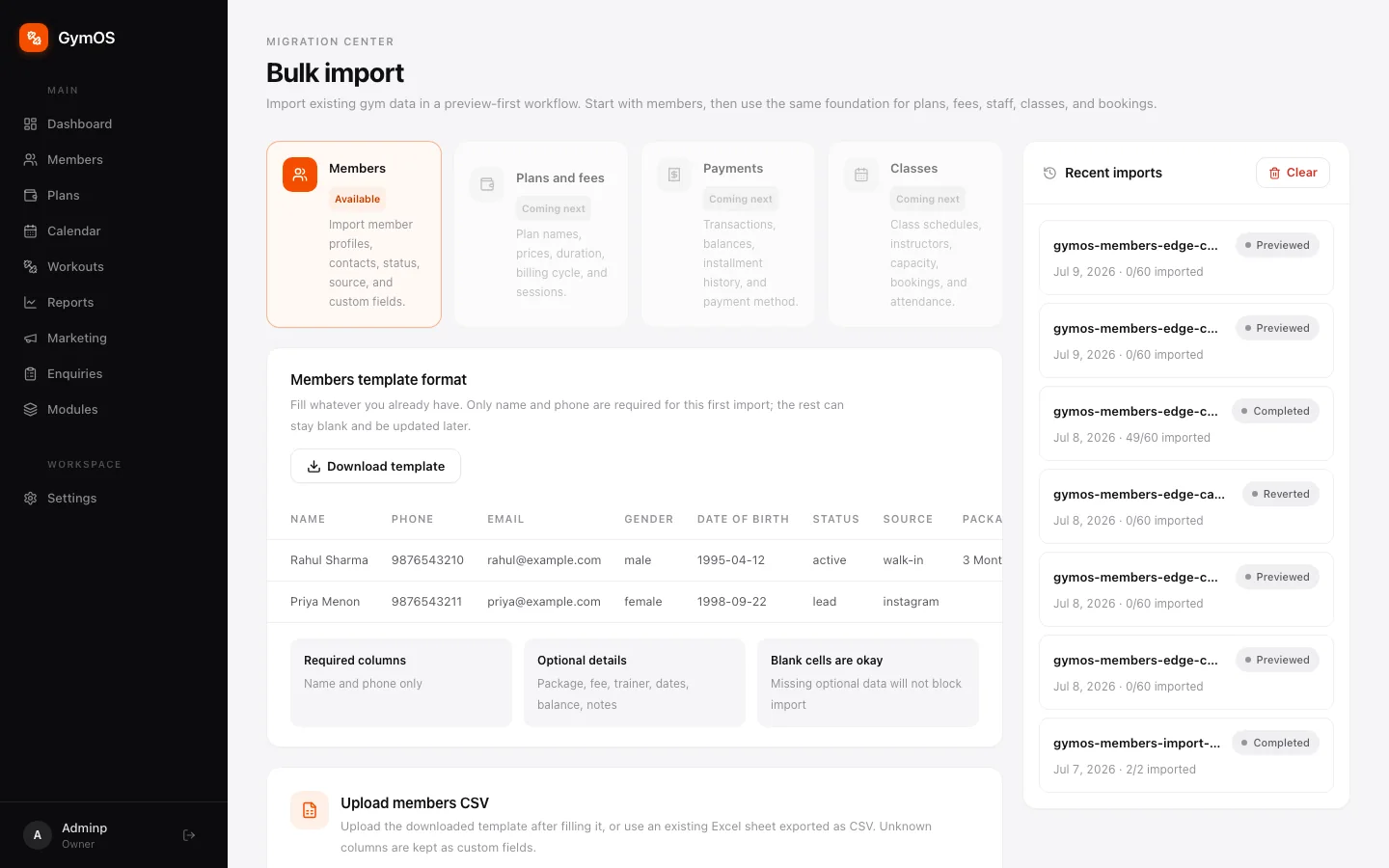
- Click Download template to get the members spreadsheet format.
- Fill in what you have. Only name and phone are required; package, fee, trainer, dates, balance and notes are optional, and blank cells won’t block the import.
- Save it as CSV — an Excel sheet exported as CSV works — and upload it under Upload members CSV. Columns GymOS doesn’t recognise are kept as custom fields.
- Check the preview before anything is created, then run the import.
Recent imports lists each file with how many rows were imported and its status: Previewed, Completed or Reverted.
After an import, GymOS suggests plans based on the packages in your data. You’ll see them on the Plans page.
Members can be imported today. Plans and fees, payments and classes are next.
Billing and subscription
Settings → Billing → Billing & Subscription is about your own Svich plan — what you pay for the software — and your billing history. Not to be confused with your members’ plans, which live in Plans and payments.
Not ready yet
A few pages in Settings are placeholders for features still being built, and say Coming soon: Account (organisation name, time zone and contact details), Security, and Reports & Analytics. The Reports item in the sidebar is the same — revenue, retention and attendance reports are on the way.
Until then, the dashboard, Attendance insights and the Commissions charts cover the most common reporting questions.
Stuck on a step, or found something that doesn't match your screen? Email hello@svich.in.