StudioOS guide
Member portal
Give every student a self-service app on their phone to check their plan or pack and their payments — and turn it on for existing members in one click.
The member portal is a lightweight, phone-first app for your students, separate from the staff app. They use it to check their plan and their payments without messaging the studio.
Turning it on
Go to Settings → Member Experience → Member Portal.
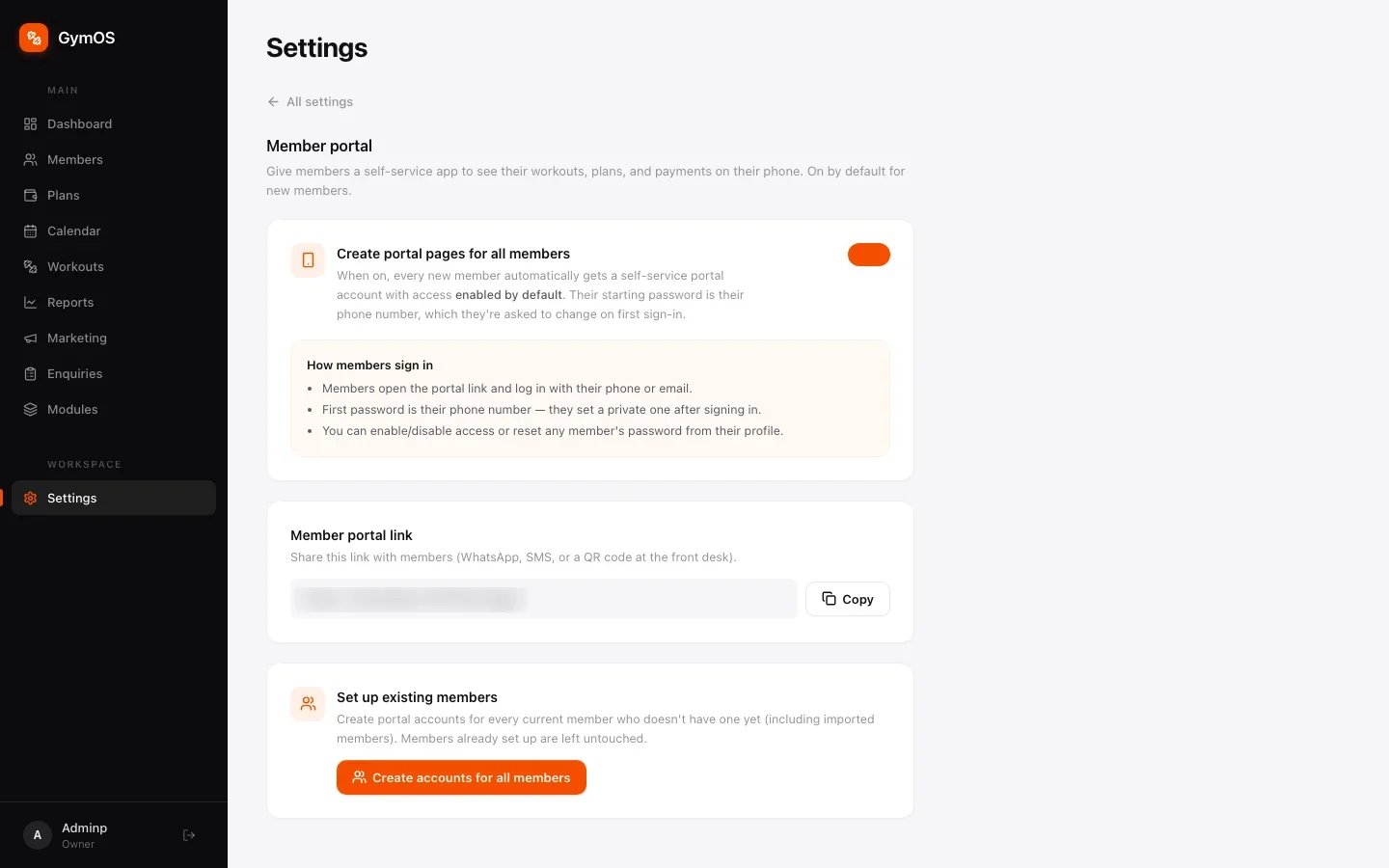
- Create portal pages for all members — when on (the default), every new member gets a portal account automatically.
- Member portal link — the link to share: app.svich.in/m/login. Send it on WhatsApp, or print it as a QR code for the reception desk. Copy puts it on your clipboard.
- Set up existing members — Create accounts for all members gives a portal account to everyone who joined before it was switched on, including imported members.
You can also switch portal access on or off for one member from the Overview tab of their profile.
How members sign in
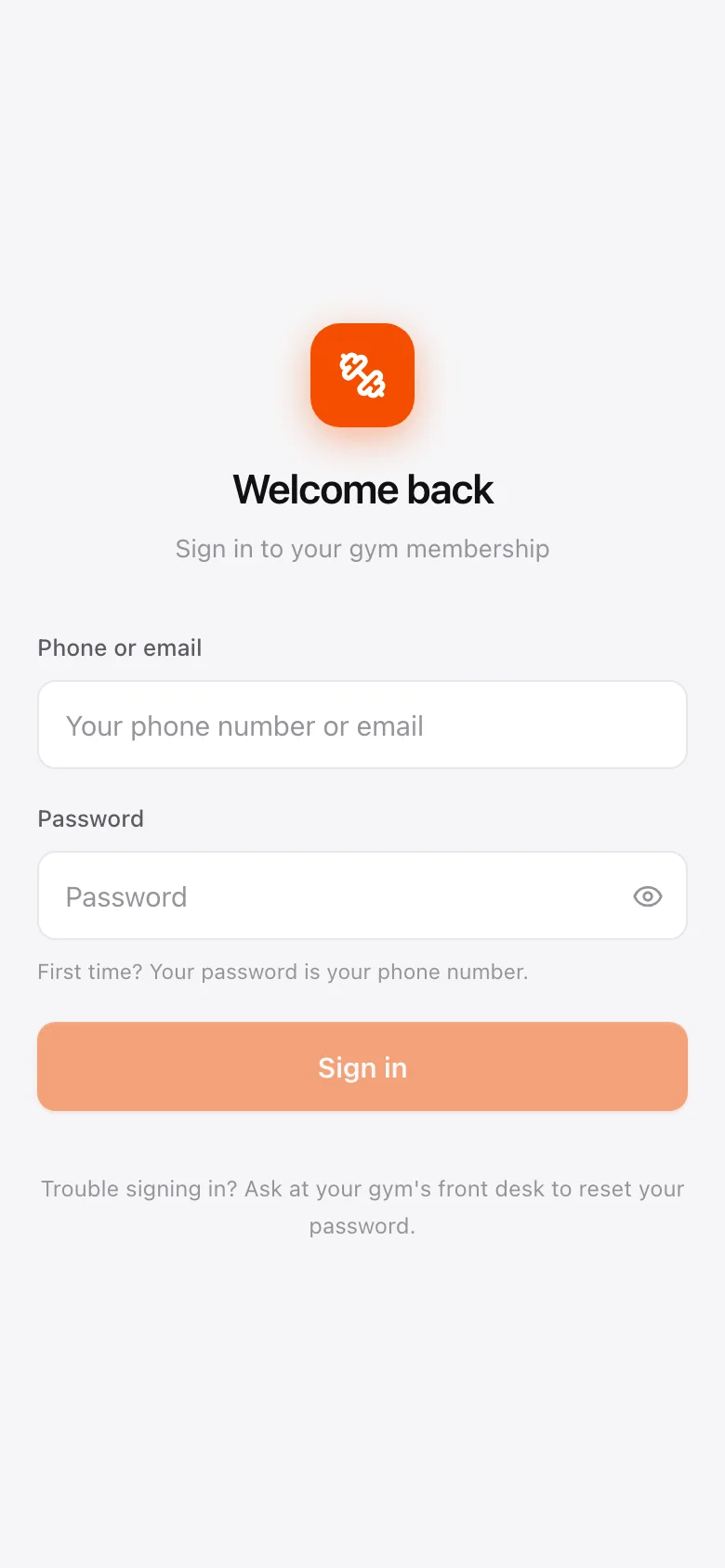
- Members sign in with their phone number or email.
- Their first password is their phone number. They’re asked to choose their own the first time they sign in.
- Locked out? Anyone on your team can reset a member’s portal password from that member’s profile.
What members see
Along the bottom of the portal:
- Home — a welcome with their current plan, price and expiry date up front.
- Plan — their full plan details and, on an instalment plan, the upcoming payment schedule.
- Payments — what they’ve paid so far and every past transaction.
Their personal details and password are under the profile icon at the top.
Class bookings are made by your team, not from the portal — see Calendar and bookings. Record a payment in the staff app and the student sees it in their portal straight away.
Stuck on a step, or found something that doesn't match your screen? Email hello@svich.in.